RDP with no verifiable publisher
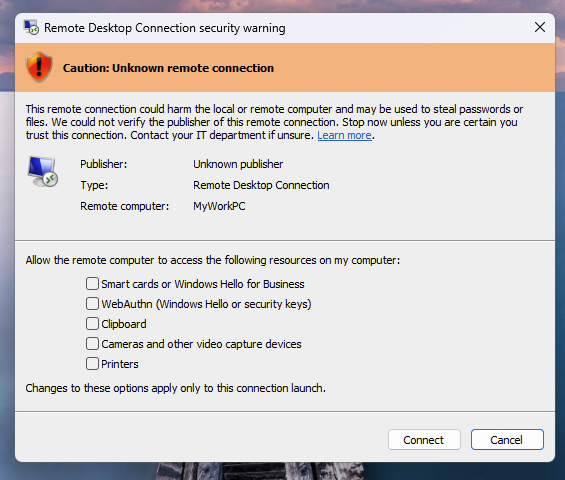
IT administrator. How do I temporarily revert the new security dialog?
If the update causes temporary disruptions in your environment, you can revert to the previous dialog behavior by setting a registry value.
- Select Start, type Registry Editor, and then open it.
- Go to and modify the key:
HKLM\Software\Policies\Microsoft\Windows NT\Terminal Services\Clientwith the following values:- Name: RedirectionWarningDialogVersion
- Type: REG_DWORD
- Data: 1
PowerShell
Windows Registry Editor Version 5.00

[HKEY_LOCAL_MACHINE\Software\Policies\Microsoft\Windows NT\Terminal Services\Client]
"RedirectionWarningDialogVersion"=dword:00000001PowerShell
$path = "HKLM:\Software\Policies\Microsoft\Windows NT\Terminal Services\Client"
if (!(Test-Path $path)) { New-Item -Path $path -Force | Out-Null }
New-ItemProperty -Path $path -Name "RedirectionWarningDialogVersion" -PropertyType DWord -Value 1 -Force | Out-Null